For Revenue Operations (RevOps) professionals, fractional CFOs, and accountants, the “context-switching tax” is a significant drain on profitability. Toggling between QuickBooks Online (QBO) and Gmail can result in switching applications over 1,100 times per day, leading to measurable cognitive and temporal loss.
As we move into 2026, the mandate for high-growth firms is clear: financial data must be surfaced at the point of interaction. Here is an exhaustive analysis of the five most effective methodologies to integrate QuickBooks with Gmail to accelerate your revenue.
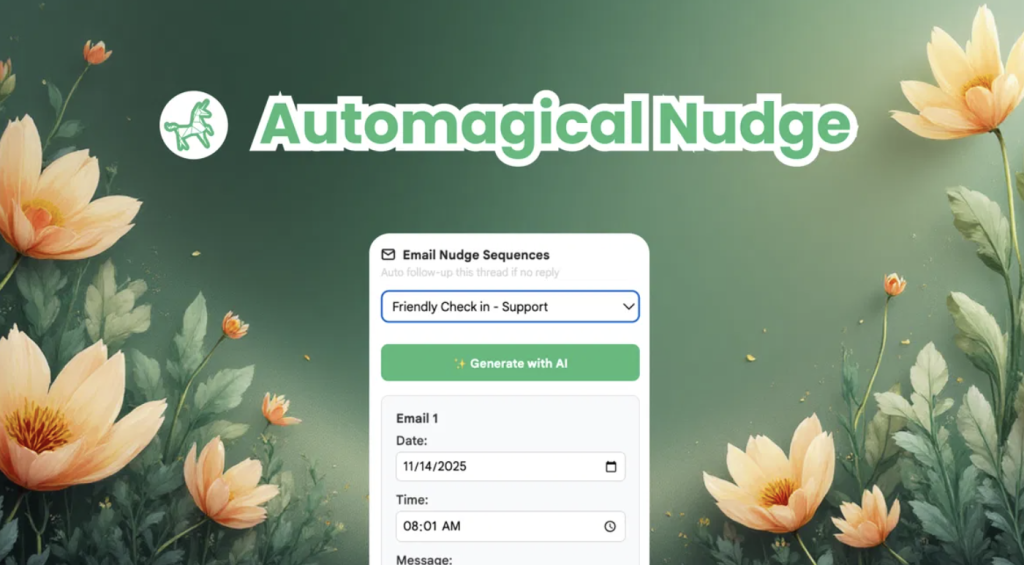
1. Automagical Nudge: The High-Velocity Sidebar
Best For: AR Automation, Speed, and Cost-Effectiveness.
Automagical Nudge is the premier integration for professionals who require immediate results without technical overhead. It functions as an intelligence layer and email sequencer residing natively within your Gmail sidebar.
- Sidebar Command Center: Automatically retrieves QuickBooks records based on the sender’s metadata, displaying open balances and transaction history directly in Gmail.
- One-Click Transactions: Users can generate quotes, create customers, and send invoices that sync bi-directionally in real-time.
- “Stop-on-Reply” Logic: The “Nudge” sequence—a conditional email campaign—automatically stops once a client replies, preventing embarrassing duplicate reminders.
- Mobile Parity: Offers full feature functionality on the Gmail mobile app (iOS and Android) for “road warrior” consultants.
ROI Spotlight: Automagical Nudge Pro ($50/mo) can reduce the administrative burden of managing 200 monthly invoices from 16.6 hours to just 1.5 hours, representing a 4,430% ROI.

2. Zapier: The Scalable Workflow Orchestrator
Best For: Complex background automations across thousands of apps.
Zapier uses “trigger-and-action” logic to connect QuickBooks to the broader business ecosystem. It is ideal for administrative tasks occurring at the periphery of the invoicing cycle.
- Financial Workflows: Automatically send “Thank You” emails for paid invoices or welcome packages for new customers.
- AI Orchestration: Zaps can pass raw QuickBooks data through models like GPT-4 to generate context-aware, personalized emails in Gmail.
- Limitation: Zapier lacks a native Gmail sidebar for on-demand visibility and can become expensive as “task” volume scales.
3. Method CRM: Deep Two-Way Synchronization
Best For: Firms needing a full-featured CRM that mirrors accounting data.
Method CRM is built on a patented, real-time sync engine that goes beyond basic contact info to sync deep accounting objects like items, classes, and terms.
- Single Source of Truth: Every update in the CRM is instantly reflected in QuickBooks, eliminating double entry.
- Customer Portals: Allows clients to view their own invoices and make payments, reducing the burden on accounting.
- Cost: Typically starts around $28 per user per month and requires a more significant setup commitment than a browser extension.
4. Make.com: Visual Process Engineering
Best For: Technical RevOps leads who need advanced branching logic.
Make (formerly Integromat) provides a visual “no-code” toolkit for building complex scenarios with data filtering and multi-step transformations.
- Scenario Mapping: A typical workflow can watch Gmail for purchase orders, parse attachments using OCR, and then create the corresponding record in QuickBooks.
- Pricing: Uses a credit-based system (module operations) that often results in a lower Total Cost of Ownership (TCO) for complex, low-volume workflows.
- Drawback: Has a steeper learning curve than “plug-and-play” solutions like Automagical Nudge.

5. Native QuickBooks Connector (Unaric)
Best For: Basic visibility for firms starting their automation journey.
This native Google Workspace add-on provides baseline integration for QuickBooks Plus and Advanced subscribers.
- Dashboard Visibility: Surfaces a QuickBooks dashboard within Gmail showing profit and loss metrics and overdue totals.
- AI Lead Capture: Identifies potential sales opportunities in email threads and adds them to the “Leads” tab in QuickBooks.
- Gap: Lacks specialized AR automation, automated sequencing, and “bulk nudge” capabilities.
Comparison Summary
| Integration | Primary Use Case | Setup Complexity | Mobile Support | Pricing |
| Automagical Nudge | Revenue Acceleration & AR | Ultra-Low (<1 min) | Full Parity | $0–$50/mo |
| Zapier | Ecosystem Interconnectivity | Moderate | Limited (Web) | Task-Based |
| Method CRM | Deep Relationship Mgmt | High | Dedicated App | $28–$85/user/mo |
| Make.com | Visual Process Engineering | High | Limited (Web) | Credit-Based |
| Native Connector | Basic Ledger Visibility | Low | Limited Sidebar | Free (Plus/Adv) |
Strategic Recommendation for 2026
To maximize your billable opportunity and reduce Days Sales Outstanding (DSO), consolidate your financial communication stack within Gmail.
Start with free visibility tools to bridge the gap if you find the native QBO interface cumbersome. As your volume increases, moving to Automagical Nudge Pro is the strategic choice to automate the “last mile” of the financial cycle and ensure your firm scales with confidence.